As an avid Discord user, you may have come across the intriguing phone icon. But what does it mean? In this article, we will unravel the mystery behind the phone icon on Discord and its different variations, such as green, orange, and red.
What Does the Phone Icon Mean on Discord?
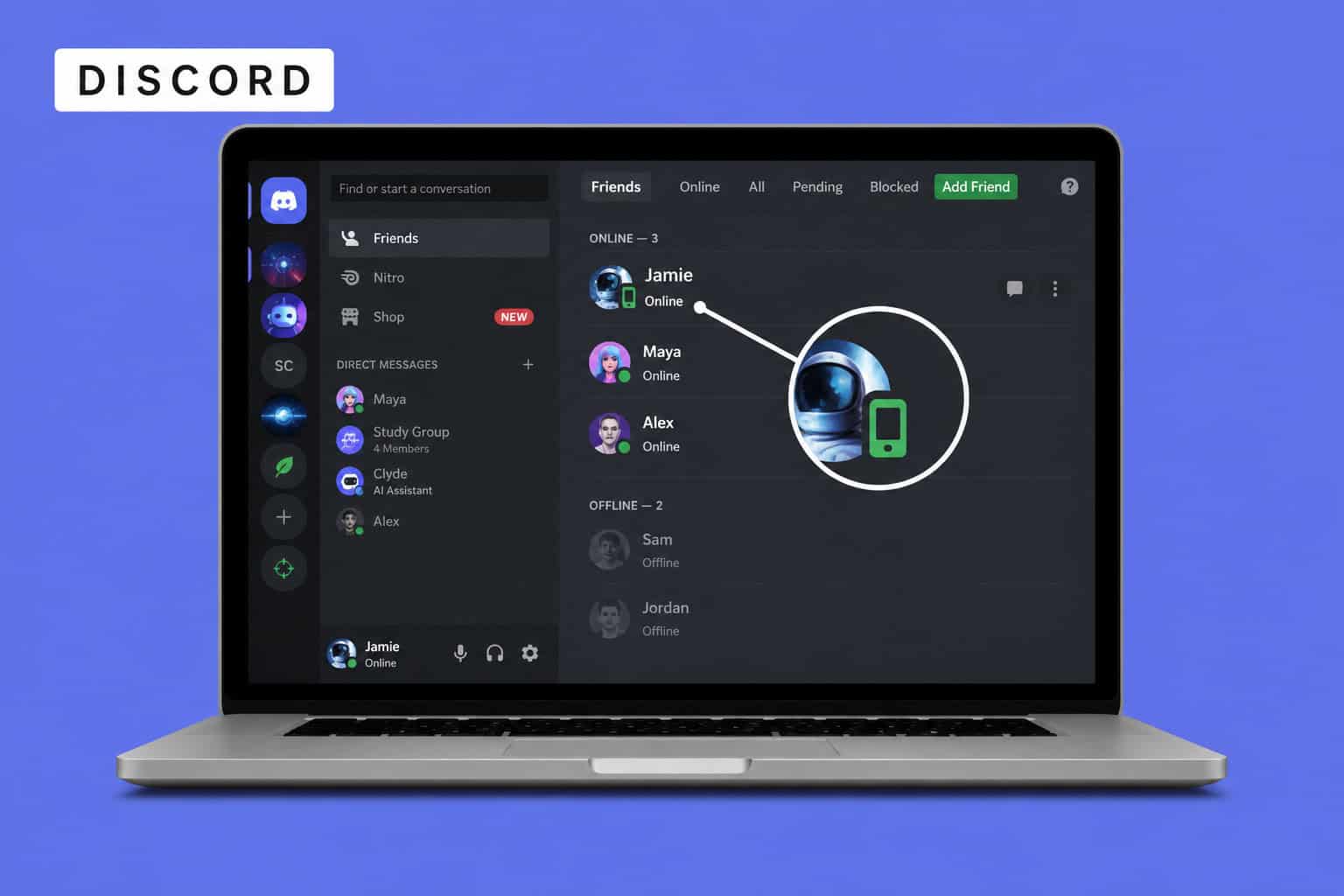
The phone icon on Discord means that the person is currently active on the Discord mobile app rather than the desktop or browser version.
Discord calls this feature Mobile Presence. The small phone-shaped symbol can appear beside a user’s name or profile when Discord detects that they are active only on a mobile device.
The icon does not reveal the person’s phone number, operating system, location, or exact device.
What Is the Discord Phone Icon?
When someone uses Discord on their Android phone, iPhone, or another supported mobile device, their regular green online indicator may appear as a small green phone icon.
The icon simply communicates:
This person is currently active on Discord through the mobile app.
You might see the phone icon beside someone’s username in places such as:
- A server’s member list
- The person’s Discord profile
- Your Direct Messages list
- Other areas where their online status is displayed
According to Discord, the Mobile Presence indicator appears when a person is active only on mobile.
Why Does Discord Show a Phone Instead of a Green Dot?
Discord normally uses a green circle to indicate that someone is online.
When Discord detects that a user is active only through the mobile app, it may replace the regular green circle with the phone-shaped Mobile Presence icon.
Discord officially uses several status indicators:
- Green: Online
- Yellow: Idle
- Red: Do Not Disturb
- Purple: Streaming
- Gray: Invisible or offline
The phone icon adds information about the device being used. It tells you that the user is online through Discord’s mobile application.
Why Does the Phone Icon Sometimes Disappear?
The phone icon can disappear for several reasons.
1. The person opened Discord on a computer
Discord says that the Mobile Presence icon appears when someone is active only on mobile. If the person also becomes active through Discord’s desktop app or website, Discord may display the normal online status instead.
2. The person closed or stopped using the mobile app
When Discord no longer considers the mobile session active, the phone icon may disappear and the person may eventually appear offline.
3. The person changed their status
A user can manually change their Discord status to Online, Idle, Do Not Disturb, or Invisible. Discord also automatically switches users to Idle after a period of inactivity on supported clients.
4. The person selected Invisible
Invisible status makes a person appear offline even though they may still be using Discord. It also removes the Mobile Presence icon.
5. Discord has not updated the status yet
Presence indicators do not always update immediately. A temporary connection problem, application delay, or outdated display can cause the icon to remain visible briefly after the person changes devices or stops using Discord.
Phone icon beside a username
A small phone-shaped status icon beside someone’s profile or username means they are active on Discord mobile.
Phone icon at the top of a Direct Message
A handset-shaped button at the top of a private conversation is the Start Voice Call button. Selecting it starts a Discord voice call with that person.
Therefore, the meaning depends on where the symbol appears:
- Beside a username: The person is active on mobile.
- At the top of a DM: Start a voice call.
- Inside an active call: A call-related control, such as joining or disconnecting.
Can You Turn Off the Phone Icon on Discord?
Discord does not currently provide a separate setting that only disables the Mobile Presence indicator.
To hide the phone icon, you must change your online status to Invisible. Discord confirms that selecting Invisible removes the Mobile Presence icon and makes you appear offline.
On the Discord mobile app
- Open Discord.
- Tap or long-press your profile icon.
- Open the status options.
- Select Invisible.
Discord’s current mobile interface also allows users to manage their online status through their profile or account area.
Remember that Invisible status hides your general online presence as well. You cannot hide only the device indicator while continuing to appear online.
Recommended: How to Make Discord GIFs
Conclusion
The small phone icon on Discord is the Mobile Presence indicator. It means that the person is currently active only through Discord’s mobile application.
It does not mean that the person is on a call, has read your message, or is necessarily looking at Discord at that exact moment. If you do not want other people to see your mobile indicator, you can set your Discord status to Invisible, although doing so will also make you appear offline.