Bitwarden and Proton Pass are two of the best password managers for people who care about privacy, but they are not built around exactly the same priorities.
Bitwarden focuses on traditional password management. It is affordable, highly configurable and gives users plenty of control over autofill, sharing, backups and even self-hosting. Proton Pass takes a broader approach by combining password storage with built-in email aliases, dark web monitoring and the wider Proton privacy ecosystem.
Both services offer strong encryption, open-source apps, unlimited password storage and support for passkeys. The better choice comes down to what matters more to you: Bitwarden’s flexibility and value, or Proton Pass’s aliases and simpler experience.
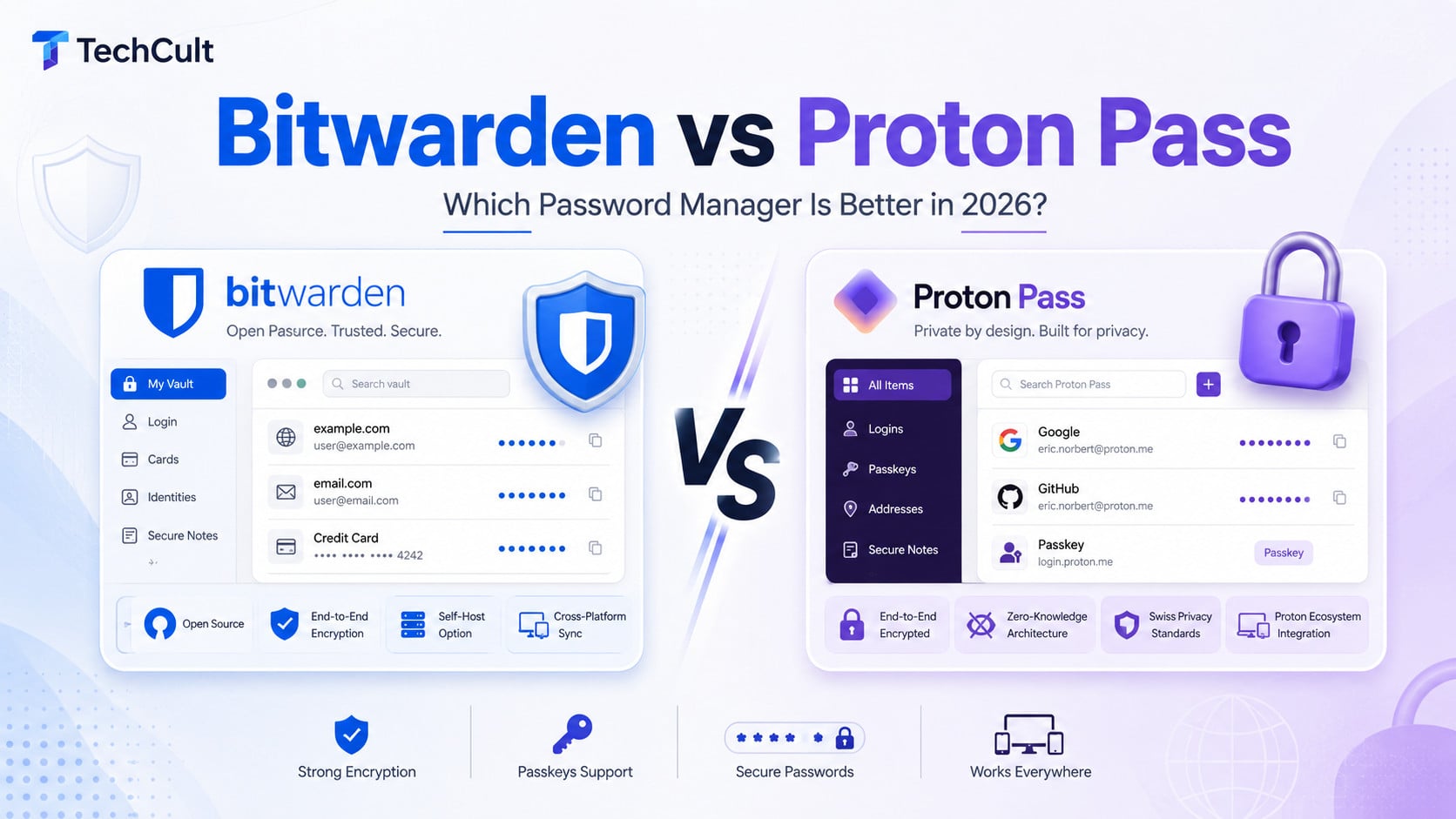
Bitwarden vs Proton Pass: Which Is Better in 2026?
Bitwarden remains the better password manager overall, especially when you value affordability, portability, encrypted backups, advanced configuration, self-hosting and long-term independence.
Proton Pass is better as a combined password-and-identity manager. Its native email aliases, dark-web monitoring, privacy ecosystem, secure link sharing and polished interface make it more attractive for people who want to hide their real email address and already use Proton services.
Bitwarden vs Proton Pass: Quick Answer
Choose Bitwarden if you want the best overall value, more advanced autofill controls, flexible encrypted backups or the option to self-host.
Choose Proton Pass if you want built-in email aliases, a cleaner interface or already use Proton Mail, Proton VPN and other Proton services.
Our pick for most users: Bitwarden. Proton Pass is the stronger choice for email privacy.
| Category | Winner |
|---|---|
| Best overall | Bitwarden |
| Best free plan | Proton Pass |
| Best paid value | Bitwarden |
| Security | Tie |
| Email aliases | Proton Pass |
| Backups and portability | Bitwarden |
| Easiest to use | Proton Pass |
1. Security
Security should not be the deciding factor between Bitwarden and Proton Pass. Both encrypt your vault before it leaves your device, publish open-source applications and undergo independent security reviews. For most users, the quality of the master password and two-factor authentication setup will matter more than the differences between their encryption implementations.
Proton Pass encrypts vaults using AES-256-GCM and uses OpenPGP with Curve25519 for sharing. It also explicitly states that usernames, URLs and other metadata are encrypted. Bitwarden uses AES-256-CBC with HMAC-SHA256 and lets users choose PBKDF2-SHA256 or Argon2id for key derivation. Both encrypt data locally before uploading it.
Both publish source code, operate bug-bounty programmes and undergo independent audits. Bitwarden states that third-party security assessments occur at least annually. Proton’s 2026 audit covered its extensions, mobile applications, desktop applications and CLI; the auditors reported no remote exploit or encryption bypass.
Proton gets a small advantage for account-attack detection through Sentinel. Bitwarden gets a major advantage for self-hosting and configurable Argon2id key derivation.
| Feature | Proton Pass | Bitwarden |
|---|---|---|
| Zero-knowledge architecture | Yes | Yes |
| End-to-end encryption | Yes | Yes |
| Open-source applications | Yes | Yes |
| Independent audits | Yes | Yes |
| Bug-bounty programme | Yes | Yes |
| Vault encryption | AES-256-GCM | AES-256-CBC with HMAC-SHA256 |
| Sharing encryption | OpenPGP with ECC Curve25519 | RSA-OAEP with symmetric encryption |
| Master-password derivation | Proton account encryption model | PBKDF2-SHA256 or Argon2id |
| Metadata encryption | Proton explicitly encrypts vault metadata | Vault data is encrypted locally |
| Advanced login monitoring | Proton Sentinel | Security reports and device management |
| Self-hosting | No | Yes |
2. Free plans
Proton Free includes unlimited logins, notes, credit cards and devices, ten hide-my-email aliases, passkeys, password generation and alerts for weak or reused passwords. Free users can create and share up to two vaults, with up to three people including the owner (in each vault).
Bitwarden Free includes unlimited logins, notes, cards and identities across unlimited devices. A free Bitwarden organisation lets two people share through two collections.
Winner: Proton Pass Free.
Proton offers more immediately useful free features, especially aliases, password-health alerts and slightly more flexible sharing.
| Feature | Proton Pass Free | Bitwarden Free |
|---|---|---|
| Unlimited passwords | Yes | Yes |
| Unlimited devices | Yes | Yes |
| Secure notes | Unlimited | Unlimited |
| Credit cards | Unlimited | Unlimited |
| Identities | Yes | Yes |
| Password generator | Yes | Yes |
| Passkey storage | Yes | Yes |
| Weak/reused-password alerts | Yes | Limited reports |
| Native email aliases | 10 | No native service |
| Sharing | Two vaults, up to three people per vault | Two collections with one other person |
| Integrated TOTP generator | No | No |
| File attachments | No | No |
| Dark-web monitoring | No | No |
3. Paid plans and pricing
Bitwarden is the cheaper option. Premium costs $19.80 per year, while the Families plan costs $47.88 per year and covers up to six users. Premium includes the built-in authenticator, encrypted attachments, emergency access and security reports.
Proton Pass Plus costs more but includes features that Bitwarden does not provide directly, most notably unlimited hide-my-email aliases, dark web monitoring and additional alias controls. Pass Family provides six Pass Plus accounts.
Proton occasionally changes promotional and regional pricing, so check the final price displayed at checkout.
The practical difference: Bitwarden offers better value when you mainly want a password manager. Proton Pass can justify its higher price when you will regularly use its email aliases and other privacy features.
Winner: Bitwarden for price.
Also Read: 23+ Best Facebook Marketplace Alternatives
4. Passwords, autofill and organisation
Both cover the essentials well. Proton’s organisation system is easier to understand: you create separate vaults for personal, work, finance or shared items. Bitwarden is more complex because it separates personal folders from organisation-owned collections.
Proton is simpler. Bitwarden is more configurable.
For normal browsing, Proton’s interface feels cleaner. For complicated websites, internal company pages, subdomains and exact URL matching, Bitwarden gives you more control over when credentials should appear. Bitwarden documents custom URI rules, autofill blocking, custom-field autofill and Basic Authentication support.
| Feature | Proton Pass | Bitwarden |
|---|---|---|
| Password autofill | Yes | Yes |
| Password autosave | Yes | Yes |
| Password generator | Yes | Yes |
| Passphrase generator | Yes | Yes |
| Multiple URLs per login | Yes | Yes |
| Custom fields | Yes | Yes |
| Folders | No; uses vaults | Yes |
| Multiple vaults | Yes | Personal vault plus organisations |
| Collections | No | Yes |
| Favourites | Yes | Yes |
| Password history | Yes | Yes |
| Custom URI matching | More basic | Extensive |
| Block autofill on selected sites | Limited controls | Yes |
| HTTP Basic Auth autofill | Less extensively documented | Yes |
5. Email aliases
This is Proton Pass’s biggest advantage.
Proton Pass
Proton Pass has a native email-alias system powered by Proton and SimpleLogin:
- 10 aliases on the free plan
- Unlimited aliases on paid plans
- Automatically create an alias while registering
- Reply to emails without exposing your address
- Initiate messages from aliases on paid plans
- Disable compromised aliases
- Route aliases to multiple mailboxes
- Use up to ten personal domains
- Synchronise existing SimpleLogin aliases
- Identify which company leaked or sold your address
Bitwarden
Bitwarden does not operate an email-forwarding service. Instead, its username generator integrates with external providers including:
- SimpleLogin
- Addy.io
- Firefox Relay
- Fastmail
- Forward Email
- DuckDuckGo Email Protection
That is flexible, but you must create and potentially pay for another service.
Winner: Proton Pass by a large margin.
For newsletters, shopping websites, software trials and low-trust registrations, Proton aliases are extremely useful.
6. Two-factor authentication
Both password managers can store and autofill time-based one-time passwords on their paid plans. This lets you enter a password and its six-digit verification code without opening a separate authenticator app.
Bitwarden also offers a standalone Bitwarden Authenticator app, while Proton handles authentication features through its wider Proton account system.
Both services can save and sync passkeys for supported websites. Bitwarden provides more detailed options for using passkeys to access the vault itself, but the difference is unlikely to matter when you simply want to sign in to websites with a passkey.
Whichever service you choose, avoid storing the password manager’s only two-factor authentication method inside the same vault. A hardware security key or separate authenticator provides a safer fallback.
Bottom line: Both handle 2FA and website passkeys well, with a small advantage to Bitwarden for advanced account-login options.
| Feature | Proton Pass | Bitwarden |
|---|---|---|
| Store TOTP secret | Paid | Paid integrated generation |
| Generate TOTP codes | Paid | Paid |
| Display TOTP beside login | Yes | Yes |
| Autofill TOTP | Yes | Yes |
| Standalone authenticator app | No dedicated equivalent | Bitwarden Authenticator |
| Protect manager with security key | Yes through Proton account | Yes |
| Passkey as account login | Proton account supports modern authentication | Bitwarden directly documents vault login and unlock with passkeys |
7. Passkeys
Both can:
- Create and store passkeys
- Synchronise them between devices
- Autofill them on supported websites
- Use them through mobile applications and browser extensions
Proton advertises passkey support across all devices. Bitwarden supports saving and autofilling discoverable passkeys and FIDO2 credentials through browser extensions and mobile applications.
Bitwarden additionally provides particularly detailed support for using a passkey to access the Bitwarden vault itself.
Winner: Slight edge to Bitwarden, but effectively a tie for website passkeys.
Also Read: Copilot Pro Vs ChatGPT Plus Vs DeepSeek
8. Emergency access and account recovery
Proton Pass
Paid users can designate trusted contacts who can access their Proton Account after a selected waiting period. Proton also offers an optional extra password specifically for Proton Pass, separate from the main Proton Account password.
Bitwarden
Premium users can designate unlimited emergency contacts and choose:
- View access: the trusted person can view the vault.
- Takeover access: the trusted person creates a new master password and assumes control.
Access can be manually approved or automatically granted after the waiting period.
Bitwarden cannot normally reset a forgotten individual master password because it does not possess the decryption keys. Business administrators can recover enrolled organisation accounts through Bitwarden’s account-recovery system.
Winner: Bitwarden, because its view-versus-takeover controls are more granular.
9. Exporting, backups and avoiding lock-in
Both password managers let you export your vault, but Bitwarden provides the more flexible backup system.
Bitwarden can create a password-protected encrypted JSON file that can later be imported into a different Bitwarden account. It also supports standard CSV and JSON exports, organization exports and ZIP exports containing attachments.
Proton Pass can export an unencrypted ZIP, a CSV file or a ZIP containing a PGP-encrypted JSON file. The encrypted file can be imported back into Proton Pass, but accessing it outside Proton may require a separate PGP decryption tool.
This does not make Proton Pass difficult to leave, but Bitwarden’s backup options are easier to understand and more convenient for long-term portability.
Better for backups: Bitwarden.
10. Interface and daily usability
This part is partially subjective.
Proton Pass
- Cleaner and more modern interface
- Easier vault-sharing model
- Aliases integrated directly into registration forms
- Less setup for new users
- Better suited to non-technical family members
Bitwarden
- More settings and configuration
- More complicated organisations/collections structure
- More powerful URL matching and autofill controls
- Better suited to power users and administrators
- Interface has improved but remains more utilitarian
For advanced users: Bitwarden can be self-hosted on your own server, while Proton Pass cannot. This is a meaningful advantage for organizations and experienced administrators, but most individuals will be safer and better served by Bitwarden’s managed cloud service.
Bitwarden vs Proton Pass: Which One Should You Use?
Bitwarden wins this comparison, but not because Proton Pass is an inferior password manager.
Bitwarden is simply the better fit for more people. It costs less, offers stronger backup and export options, gives advanced users more autofill control and works equally well whether you are managing a personal vault or shared business credentials.
Proton Pass has one major advantage that Bitwarden cannot match on its own: integrated email aliases. Being able to create a different email address for every website is useful for reducing spam, identifying data leaks and keeping your real address private. Its interface is also easier to understand, particularly for someone using a password manager for the first time.
Go with Bitwarden when you want an affordable, flexible password manager that you are unlikely to outgrow.
Go with Proton Pass when email privacy is a priority or you are already invested in the Proton ecosystem.