Hulu is another top streaming platform where you can find popular reality shows and movies. Just like Netflix or Prime, you may also be sharing the account with your friends and family. But what if you no longer wish to give access? Then knowing how to kick somebody out of your Hulu account is the only solution. If you don’t know, today is your day to find out!

How to Kick Somebody Out of Your Hulu Account
Whether you are no longer in touch with someone or simply want to remove their access, here’s how you can easily do so.
Method 1: Via Removing Account
You can manually remove a specific device from the settings:
- Log in to your Hulu account and click on your profile in the top right corner.
- Click on Account from the left menu.
- Select Manage Devices.
- Then, click on Remove beside the device of your choice.
- Select Remove to confirm your action.
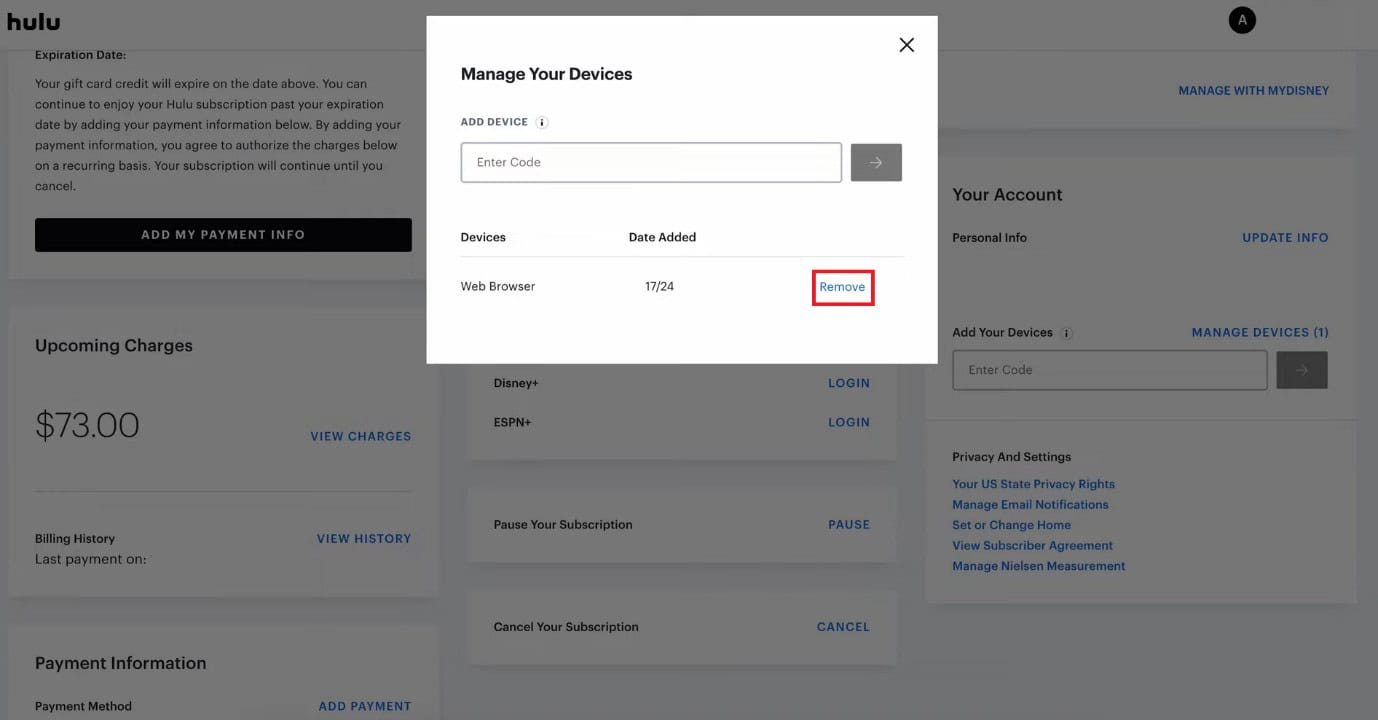
Hulu will get logged out of the selected device.
Method 2: Via Logging Out
You can also log out of all accounts simultaneously:
- Log in to Hulu and click on your profile.
- Click on Manage Account.
- Then, click on Protect Your Account.
- Now, select LOG OUT OF ALL COMPUTERS.
- Select Log out.
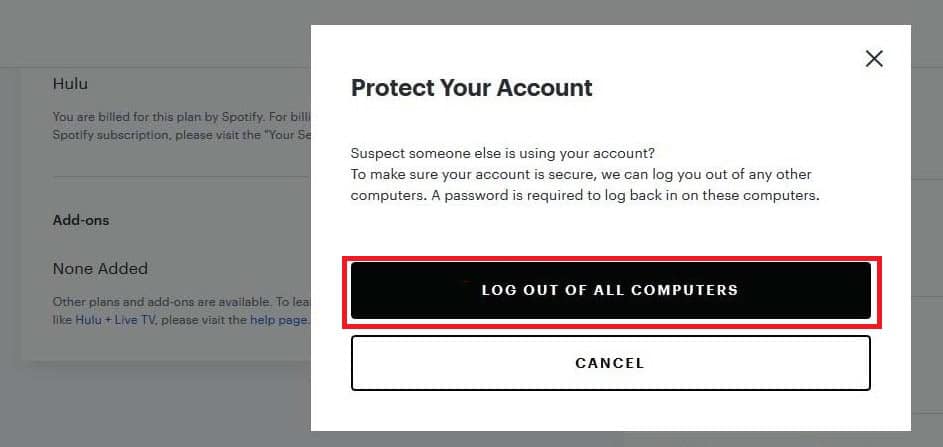
This will remove all connected accounts from any devices.
Method 3: Via Changing Password
Lastly, you can update your password, which will automatically remove all logged-in accounts.
- Log in to Hulu and click on your profile.
- Click on Manage Profiles.
- Click on Overview from the top ribbon.
- Select MANAGE MYDISNEY from the left menu under MYDISNEY.
- Click on the edit icon under Password.
- Enter the OTP sent to your registered email.
- Click on Continue.
- Enter your new password in the box.
- Then, tick on Log out on all devices.
- Now, click on Save & Continue.
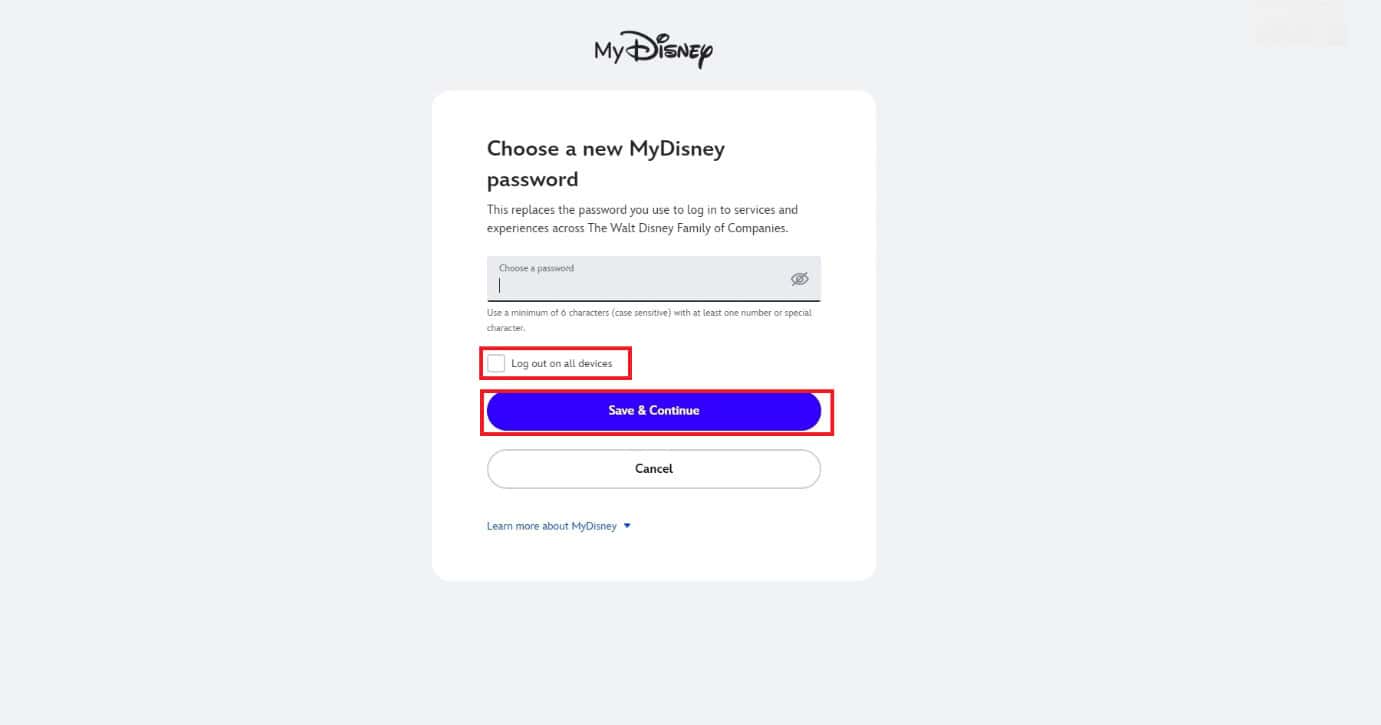
Now you don’t have to worry about other people using your account.
Also Read: How to Delete Hulu Watch History
Now you will no longer have a difficult time figuring out how to kick somebody out of your Hulu after following this guide. For more helpful tips and tricks, stay tuned, and feel free to share your suggestions in the comments below.