Although Snapchat is used for taking quick snaps, one of its most talked-about features is the best friends list. This ranking shows which friends you snap with most often and tracks your closest connections on the platform. But this also brings in lots of confusion around their workings and difficulty deciphering them. You might be curious about how the list actually works or how to see who made your top friends. Today, we will unravel this mystery!

Snapchat Best Friends List
Now you can manage your social life on the app without creating unnecessary drama.
💕 Best Friends Forever: The double heart represents engaging with each other for two months and consistently being each other’s best friends.
❤️Super Best Friends: This indicates that you have been best friends for the past two weeks.
💛 Besties: The yellow heart represents your friendship with each other.
😊 Close Friends: Although this contact is one of your closest friends, you don’t always snap and talk with them.
😬 Common Best Friends: You and your best pal are mutual besties.
😎 Mutual BFs: One of your best friends is also one of this Snapchat user’s best friends.
How Many Best Friends Can You Have on Snapchat?
Currently, users are allowed to have up to 8 best friends simultaneously.
Who Can See Your Best Friends List?
Only you are allowed to see your best friends on Snapchat. Other users do not get emojis beside their name with you.
How to Add Someone to Your Best Friends List on Snapchat
With a few changes in your interactions, you can make any user your best friend. Follow the guide Snapchat Red Heart Emoji Meaning Explained: What Does It Mean & How to Get.
How to See Your Best Friends List on Snapchat
You can easily check out your entire friends list:
- Open Snapchat and tap on your profile in the top left corner.
- Swipe down and tap on My Friends under Friends.
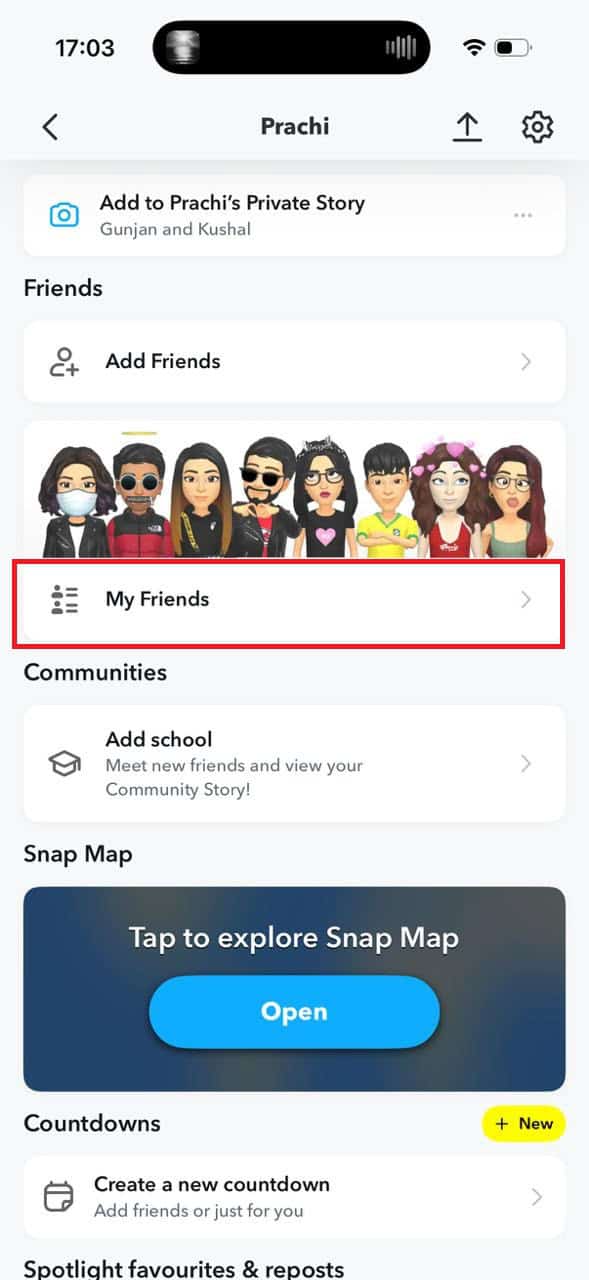
You will see a hierarchical list of all best friends.
Also Read: What Does Green Dot Mean on Snapchat?
Now that you have seen everything about Snapchat best friends list, we hope your doubts are cleared with the methods shown in this guide. Keep visiting TechCult to know the latest tech walkarounds. If you have any queries or suggestions, do reach out to us in the comment section.