SoundCloud is the world’s biggest streaming platform for artists, DJs, bands, and audio creators. With over 300 million tracks, you can find official to unreleased music with just a few clicks. Naturally, there are songs you’d wanna listen to offline and without any internet. This brings us to our question: how to download songs from SoundCloud? Today, you will find your answer!
How to Download Songs from SoundCloud on PC or Mobile
Now you can access your favorite tunes without the internet. Remember, you cannot download every song on the platform. Officially, only songs put up for download by the creators can be downloaded.
Method 1: Via Search
You can simply search for any songs and get them on your device:
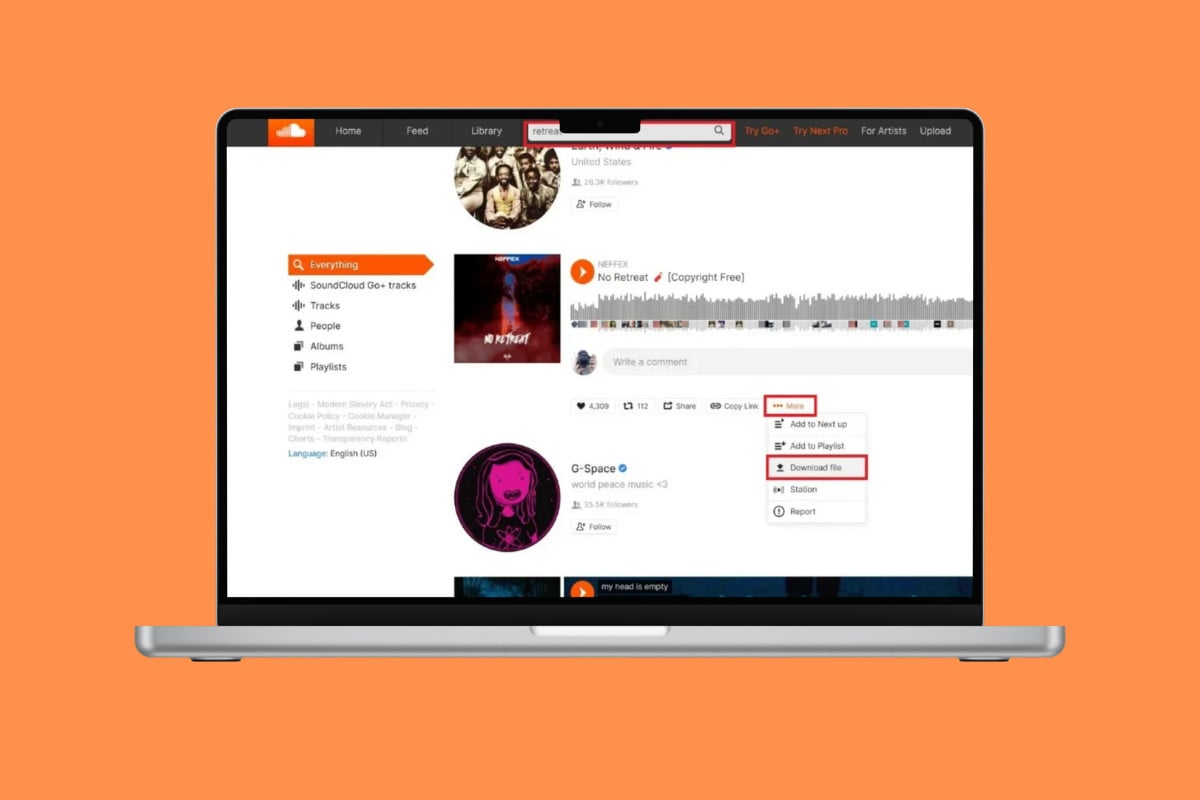
- Open SoundCloud and click on the search bar at the top ribbon.
- Type in the song of your choice.
- Click on More under the song.
- Now, select Download file.
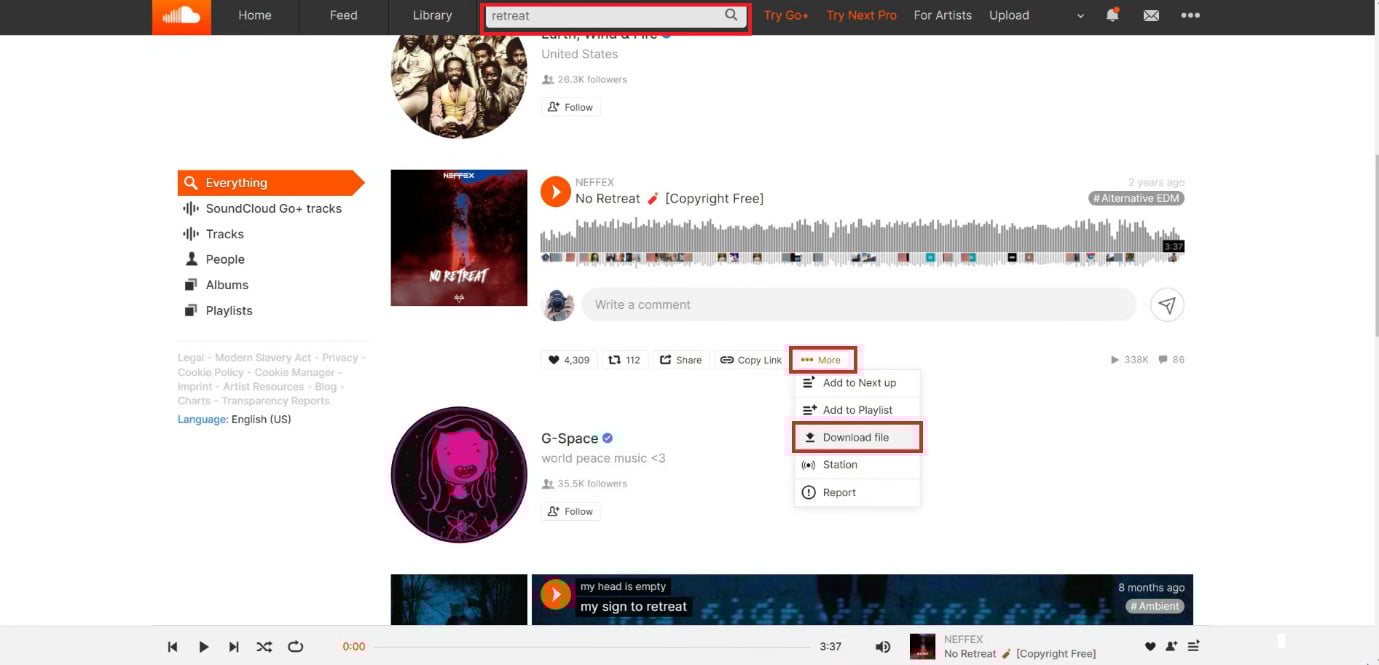
The song will be accessible on your File Explorer.
Method 2: Via Download Link
Sometimes, the creators add download links to the songs under the description instead of adding a feature. You can check out if that’s the case in your desired tracks.
- Open SoundCloud and click on the search bar at the top ribbon.
- Type in the song of your choice.
- Click on the song title.
- Now, click on the download link provided by the creator.
- Click on the download icon from the link.
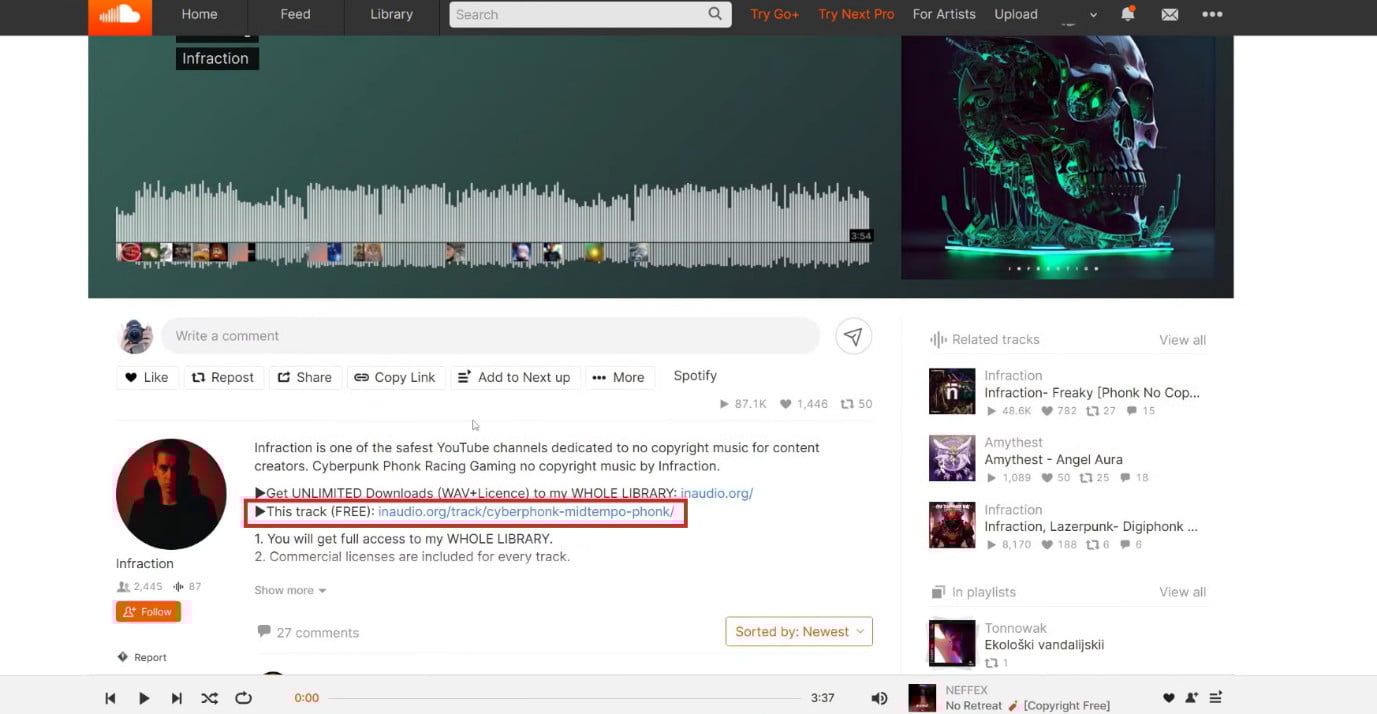
You can get songs and offline playlists.
Method 3: Via Third-Party Converters
If a song has no download option or link, you can use MP3 converters to do the same:
Note: Downloading copyrighted content without permission can violate SoundCloud’s terms. Some converter sites include aggressive ads or malware. Scan downloads and use this method only for royalty-free or artist-approved tracks.
- Open SoundCloud and click on the search bar.
- Type in the song of your choice.
- Click on Copy Link.
- Visit a third-party converter tool and click on Download.
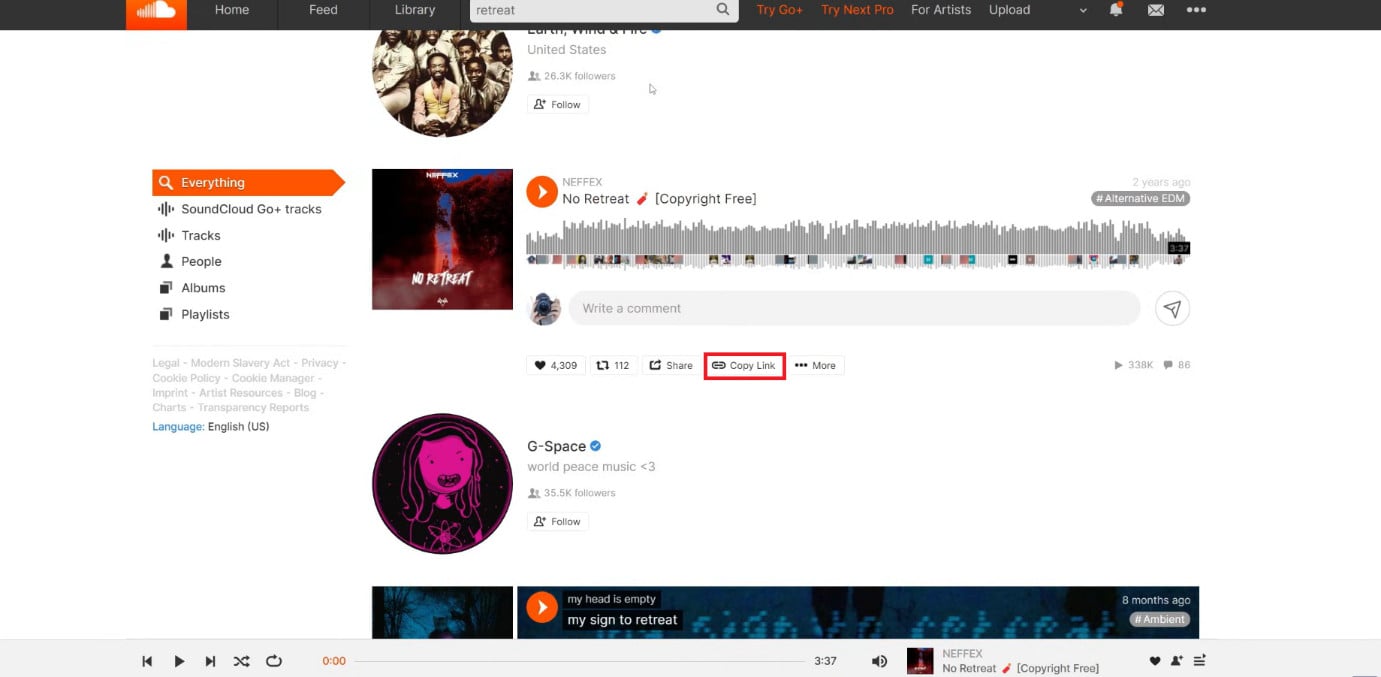
This way, you can listen to any songs offline.
Also Read: Best App that Downloads YouTube Music Easily
Now you will no longer have a difficult time figuring out how to download songs from SoundCloud on PC and mobile after following this guide. For more helpful tips and tricks, stay tuned, and feel free to share your suggestions in the comments below.