Instagram has recently rolled out fun features designed to make our chats more interactive. You could already use stickers in replies, but now it’s one level ahead. Imagine placing cute stickers all over your messages! If you have seen others do it and are wondering how to add a sticker or emoji to your Instagram DM, then you’re at the right place. Let’s jump right in.

How to Add a Sticker or Emoji to Your Instagram DM
With just a few clicks, you can turn your chats into a world of new ways to express your creativity.
- Open Instagram and tap on the message icon at the top right corner or the bottom ribbon.
- Select the user of your choice.
- Long press on any message from you or the user.
- Select Add sticker.
- Swipe down and select your saved or built-in stickers.
- Tap on the emoji icon from the bottom ribbon to use any emojis in the messages.
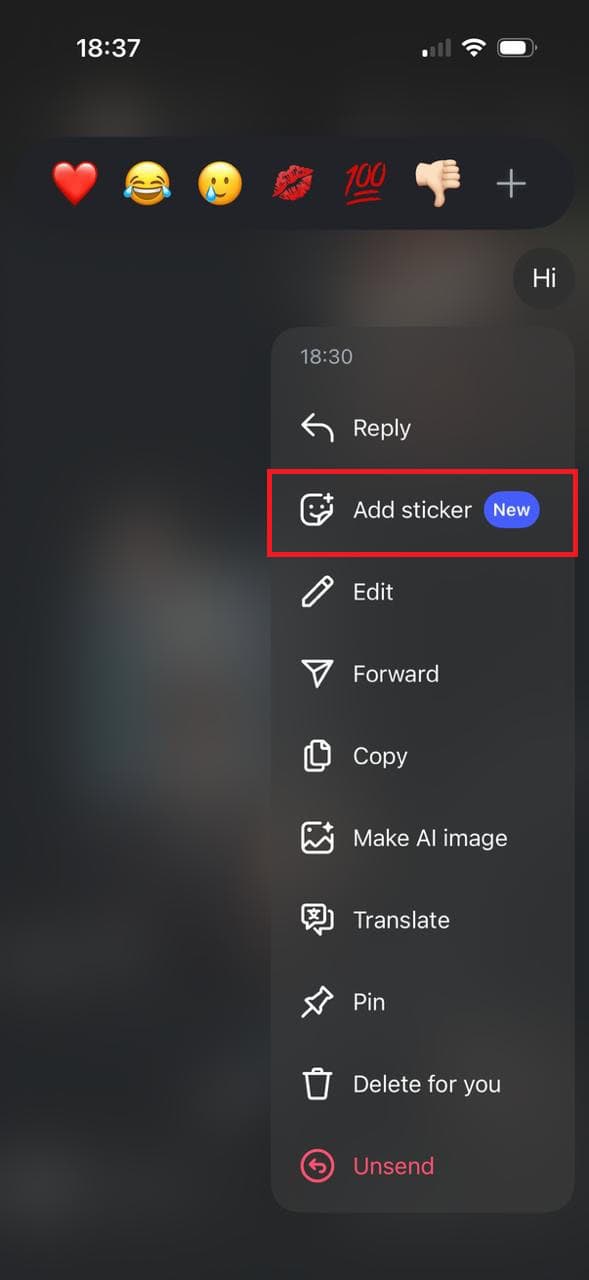
That’s it, your stickers and emojis will be added.
How to Move Sticker in Instagram DMs
If your stickers are overlapping after multiple uses, you can also place them over a position of your choice.
- Follow steps 1-6 from the previous heading How to Add a Sticker or Emoji to Your Instagram DM.
- Long press on the sticker you have placed.
- Select Move.
- Press and move the sticker anywhere on the screen.
- Tap on Hide all to remove all used stickers and emojis.
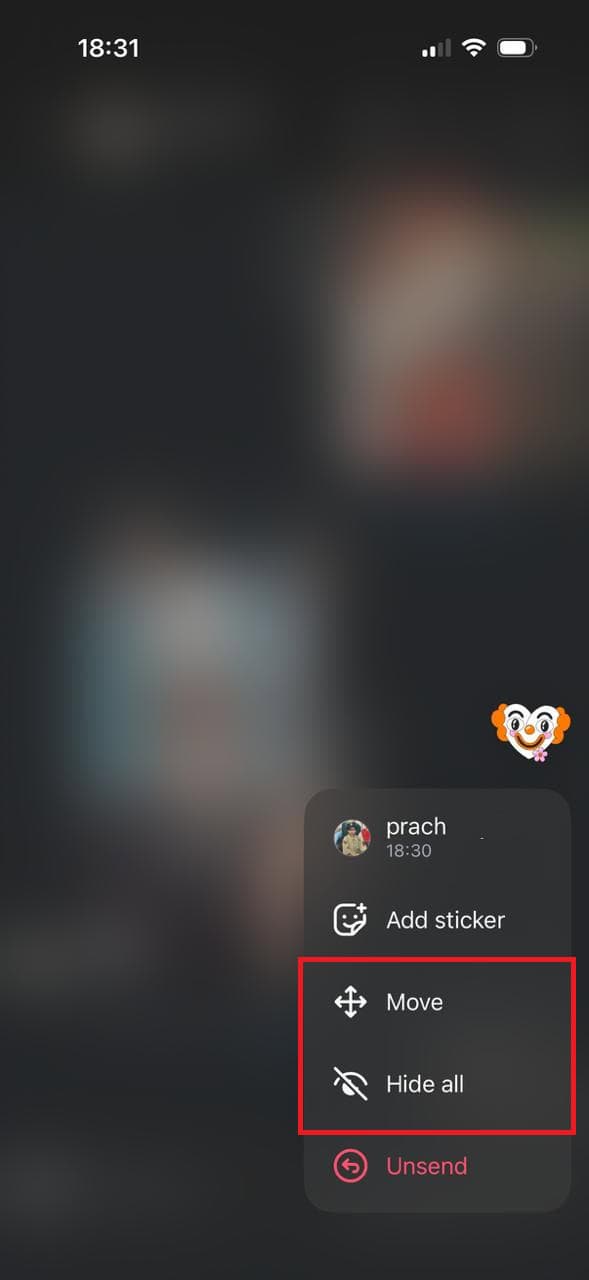
With these simple steps, you can customize how your chat looks.
Also Read: How to do Picture-In-Picture for Instagram Reels
Now that you have seen how to add a sticker to your Instagram DM, we hope your doubts are cleared with the methods shown in this guide. Keep visiting TechCult to know the latest tech walkarounds. If you have any queries or suggestions, do reach out to us in the comment section.